
Generation Status & Logs
Every catalog in PBLISH has a dedicated Generation Status panel that gives you full visibility into the current state of your catalog, the details of the most recent generation cycle, and a complete history of all past generations.
The Generation Status Panel
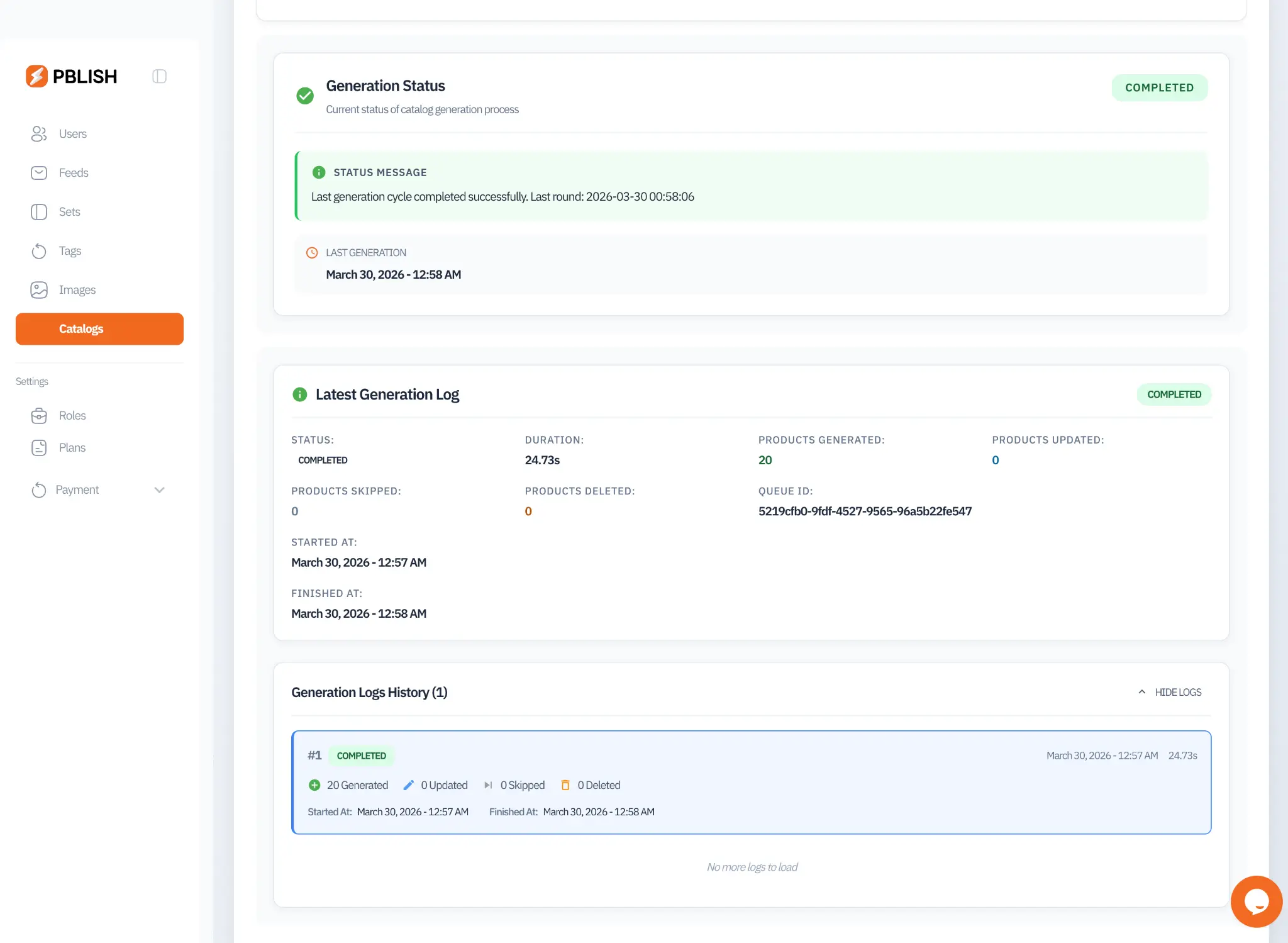
The Generation Status panel is accessible by expanding any catalog row in the Catalogs list. It is divided into three sections: the current status summary, the latest generation log, and the generation logs history.
Status States
A catalog can be in one of the following generation states:
The most recent generation cycle finished successfully. All products were processed and the public feed URL has been updated with fresh content.
A generation cycle is currently running. Images are being rendered and the feed is being compiled. This state typically lasts between a few seconds and a few minutes depending on product count.
The catalog is queued for generation and waiting for the scheduler to pick it up. This is normal immediately after a feed sync completes.
The generation cycle encountered an error that prevented completion. Check the status message for details and the recommended action.
The catalog has been deactivated. Generation will not run until the catalog is reactivated.
Latest Generation Log
The Latest Generation Log provides a detailed breakdown of the most recent generation cycle. The following metrics are displayed:
| Metric | Description |
|---|---|
| Status | Final outcome of the generation cycle (COMPLETED, FAILED, etc.) |
| Duration | Total time taken to complete the generation cycle in seconds |
| Products Generated | Number of product images successfully rendered in this cycle |
| Products Updated | Products whose images were re-rendered due to data changes |
| Products Skipped | Products skipped because their data was unchanged since the last cycle |
| Products Deleted | Products removed from the catalog because they were deleted from the feed |
| Queue ID | Unique identifier for this generation job (useful for support requests) |
| Started At | Timestamp when the generation cycle began |
| Finished At | Timestamp when the generation cycle completed |
Generation Logs History
The Generation Logs History section lists all previous generation cycles for this catalog in reverse chronological order. Each log entry shows a quick summary: the cycle number, status badge, timestamp, duration, and counts for generated, updated, skipped, and deleted products.
This history is invaluable for auditing catalog changes over time. You can see exactly when products were added, updated, or removed from the catalog, and cross-reference with changes in your source data feed.
Error Handling & Recovery
When a generation cycle fails, PBLISH provides detailed error information and recommended recovery actions directly in the status panel. The system distinguishes between different error types and handles many of them automatically: